A premium documentation WordPress Theme

The Best Text-to-Video AI Generator is Here!

在数字创作的新时代,视频制作的门槛似乎变得越来越低。最近,一段视频《最佳文本转视频AI生成器已经上线!》火遍网络,介绍了一款令人兴奋的工具,能够通过简单的文本提示生成完整视频,完全不需要复杂的编辑技能。在这篇博客中,我们将 dive into 这款强大的文本转视频工具,探索它如何改变创作的方式,不论你是企业家、内容创作者,还是普通用户。这款工具引领了生成式AI视频创作的新潮流,让你轻松表达创意,从介绍澳大利亚的悉尼海港大桥到想象中的可口可乐草莓广告,它都能迅速将你的想法变成视觉作品。接下来,我们一起看看这项技术的实际应用,以及它如何帮助你在创作上更进一步。

视频生成的革命:文本转视频AI工具的崛起

视频生成的革命:文本转视频AI工具的崛起

随着技术的飞速发展,文本转视频的AI工具正在不断改变我们如何创作和消费视频内容。如今,用户只需输入简单的文本提示,就可以生成全长视频,而无需任何复杂的编辑技能。例如,用户可以要求工具生成有关悉尼海港大桥建设的短片,看到那段历史的重现,仿佛回到了1923年,看到那些伟大的工人如何用52,800吨钢材建造出这座壮丽的桥梁。这些视频不仅有助于教育观众,还为创造性广告提供了可能,如想象中的可口可乐草莓味,唤起夏日的甜美,使每一口都成为一次味蕾的旅行。

更令人惊讶的是,最新的文本转视频AI工具可以支持多达32,000个字符的输入。这意味着创作者可以轻松创建短篇故事、产品广告或任何类型的视频内容。用户只需在文本提示框中输入他们的创意,无论是五个有趣的事实,还是如何做某事的指导,甚至可以选择预设的视频流程。此外,工具允许用户自定义背景音乐、字幕和配音的语音风格,这为个性化内容的制作提供了无限可能性。无论你是个人创作者还是企业主,这项技术都将极大地简化内容创作过程,帶來前所未有的便捷与灵活性。

轻松创建精彩视频的秘诀:无需复杂编辑技能

轻松创建精彩视频的秘诀:无需复杂编辑技能

如今,借助先进的文本转视频工具,制作引人入胜的视频变得轻而易举。用户只需提供文本提示,系统便能在几分钟内生成全长视频,这一过程完全不需要任何复杂的编辑技能。想象一下,通过简单描述 ⁣Sydney harbor bridge 的建造过程,您便可创建一个生动的故事,展示历史的辉煌与华丽。该工具支持多达32,000个字符的输入,您可以探索丰富的主题,从短故事到产品广告,甚至是五个有趣的事实,轻松应对。

而且,该工具还支持个性化设置,让视频更贴合您的需求。用户能够选定背景音乐、添加字幕,甚至指定配音的口音。比如,在讲述与 coca-Cola 草莓口味相关的广告时,您可以让视频充满夏日甜蜜感,令人垂涎欲滴。通过简单的文本提示,您可以讲述人类离开地球的故事,让观众感受希望与绝望并存的未来。因此,无论您是创作者、企业家还是商业人士,这款AI工具都能帮助您轻松实现想法,通过绚丽的视频吸引观众的目光。

从创意到实现:如何精确撰写视频生成提示

从创意到实现:如何精确撰写视频生成提示

在撰写视频生成提示时,清晰准确是至关重要的。为了确保生成的视频能够准确反映你的创意,建议按照以下步骤进行提示的设计:

  • 描述主题:清晰地定义你想要的视频主题,例如历史事件、产品广告或短故事。
  • 细节完善:提供相关细节,例如时间、地点和人物,以便赋予故事生动的背景。
  • 格式选择:明确你希望视频展示的格式。例如,可以选择叙述性视频、情感广告或教育性内容。
  • 附加元素:如果希望加入背景音乐、字幕或旁白,一定要在提示中提及。

此外,保持简洁明了的语言将有助于生成更具吸引力的内容。例如,对于“悉尼港大桥的建设”,可以将描述简化为:“展示1923年悉尼港大桥的建设过程,包括施工细节及工人的努力。”这样的提示不仅便于理解,还能引导AI生成相关视频内容。最后,考虑使用预生成的提示示例,这样可以更快速地创建出符合你需求的视频。

提示构成 示例
主题 悉尼港大桥的建设
细节 1923年,工人们使用52,800吨钢材
格式 叙述性视频
附加元素 男声旁白与背景音乐

解锁AI视频制作的潜力:行业趋势与应用建议

解锁AI视频制作的潜力:行业趋势与应用建议

随着人工智能技术的发展,AI视频制作正迅速改变创作的游戏规则。通过简单的文本提示,用户可以创建全长视频,而无需掌握复杂的编辑技能。这种工具的应用让更多的创作者、企业家和企业主能够轻松表达他们的想法。以下是一些关键的行业趋势和应用建议:

  • 简化的创作过程:用户只需输入文本提示,系统便能生成高清视频,降低了创作门槛。
  • 多样的内容生成:可创建短篇故事、产品广告和教程等各种类型视频,满足不同需求。
  • 支持个性化设置:用户可以自定义背景音乐、字幕以及语音配置,增强视频的表现力。

AI视频制作的前景广阔,在广告、教育和娱乐等多个领域皆有应用潜力。例如,通过生成虚构广告或讲述历史故事,创作者可迅速提供引人入胜的视觉内容。借助这类工具,企业可有效提升品牌影响力,并在市场激烈竞争中占据优势。以下是一些实际应用示例:

应用领域 示例
广告 Cocola草莓饮料广告
教育 悉尼海港大桥的建设过程
娱乐 科幻故事《最后的星际飞船》短片

In Conclusion

在今天的博客结尾,我们深入探讨了YouTube视频《最佳文本转视频AI生成器已上线》中提出的几个激动人心的概念。正如视频中展示的,这款创新的AI工具让我们能够通过简单的文本提示创建完整的视频,免去了繁琐的编辑技能。无论是讲述悉尼港大桥的建设,还是想象令人垂涎的草莓可口可乐广告,这款工具都展现了其强大的创意潜力。 通过InVideo AI的最新版本,任何人都可以轻松表达自己的想法,创造出令人惊艳的视频。只需简单地输入您的创意提示,这款工具便能根据您想要的内容生成高质量的视觉作品。无论您是创作者、企业家还是商人,这款工具都为您提供了前所未有的便利,让视频创作变得简单而有趣。 希望您能从今天的分享中激发灵感,积极尝试使用这款AI生成器,开启您自己的创意之旅!感谢您阅读本篇文章,期待在未来的博客中与您分享更多关于科技与创意的精彩内容。请继续关注,并与我们一起探索新的可能性!

Big Website Mistakes By Small Businesses

In today’s digital-first world, your website is often the first impression customers get of your small business. It’s more than just a digital storefront—it’s a platform to engage potential clients, showcase your brand, and ultimately drive sales. Yet, many small businesses fall into common traps when building and maintaining their websites, making critical mistakes that hurt their growth.

In this blog, we’ll explore the biggest website mistakes small businesses make and how you can avoid or fix them to create a site that attracts, engages, and converts visitors.

1. Lack of a Clear Purpose

One of the most common mistakes small businesses make is creating a website without a clear purpose. If visitors can’t immediately understand what your business does or how it can help them, they’ll likely leave in frustration.

Fix:

Clearly define the primary goal of your website. Is it to generate leads? Sell products? Provide information? Whatever it is, ensure that your website’s design and content are aligned with that purpose. Have a clear value proposition on your homepage that immediately tells visitors who you are, what you offer, and why they should care.


2. Poor User Experience (UX)

A website with confusing navigation, slow loading times, or cluttered design can frustrate users and drive them away. Many small businesses underestimate the importance of delivering a smooth and seamless user experience.

Fix:

Focus on simplicity and ease of use. Here’s how:

  • Use a clean, intuitive layout with clear menus.
  • Make important pages, such as contact information and product pages, easy to find.
  • Ensure your website loads quickly by optimizing images and minimizing heavy scripts.
  • Test your website on different devices and browsers to ensure consistency.

3. Not Mobile-Friendly

With over 50% of all website traffic coming from mobile devices, having a site that’s not optimized for mobile is a massive oversight. A website that looks great on desktop but is clunky on mobile will turn away potential customers.

Fix:

Use responsive design to ensure your website automatically adjusts to different screen sizes. WordPress themes and most modern site builders, like Wix and Squarespace, offer responsive templates by default. If you’re working with a developer, ensure that they prioritize mobile optimization during the design process.

4. Ignoring SEO

A beautifully designed website is worthless if no one can find it. Small businesses often neglect Search Engine Optimization (SEO), which is crucial for driving organic traffic from search engines like Google. Without SEO, your website is like a needle in a haystack.

Fix:

Basic SEO doesn’t require advanced expertise. Start by:

  • Researching and using relevant keywords related to your business throughout your website’s content.
  • Optimizing meta titles, descriptions, and alt text for images.
  • Creating high-quality, informative content that provides value to your audience.
  • Ensuring your website is structured well for search engines by using clean URLs, proper headings, and internal linking.

Consider using free SEO tools like Yoast SEO (for WordPress) to guide you through these steps.

5. No Call-to-Action (CTA)

Visitors may come to your site, but if there’s no clear CTA, they won’t know what to do next—whether it’s making a purchase, signing up for a newsletter, or contacting you for more information. A missing or weak CTA can leave potential leads hanging.

Fix:

Ensure every page of your website has a prominent, clear, and persuasive Call-to-Action. Common CTAs include:

  • “Contact us today”
  • “Request a free quote”
  • “Sign up for our newsletter”
  • “Shop now”
    Make your CTAs easy to spot with bold colors and text, and make sure they align with your website’s primary goal.

6. Outdated Design

An outdated or unprofessional design can make your small business look unreliable or out of touch. First impressions matter, and a visually unappealing website can cause potential customers to lose trust before even engaging with your products or services.

Fix:

Keep your website’s design modern and professional. Regularly refresh your website’s look to stay up-to-date with design trends. You don’t need to be flashy, but clean typography, consistent branding, and high-quality visuals are essential.

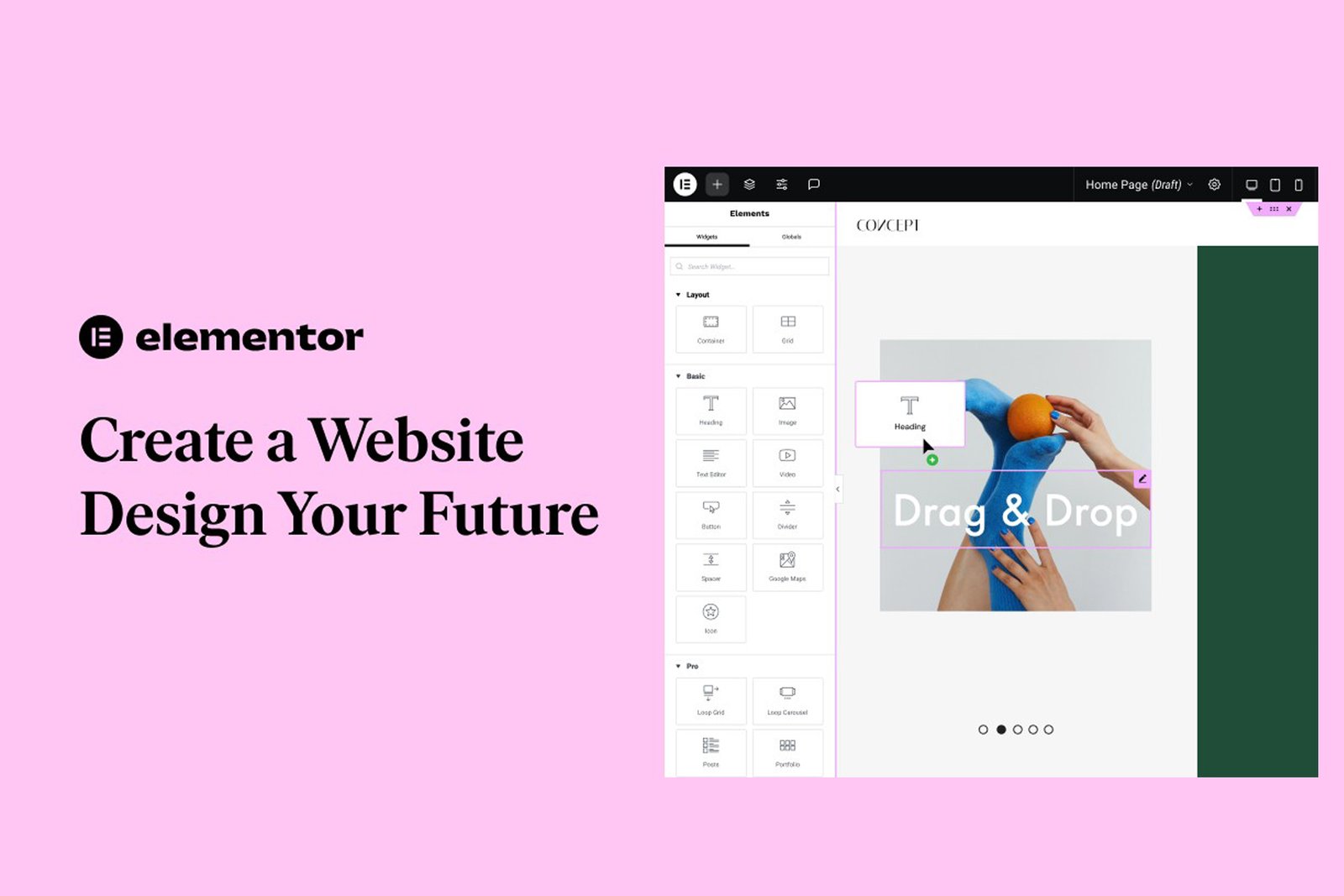
Tools like Elementor (for WordPress) or Wix’s drag-and-drop editor make it easy to maintain a fresh, professional look without needing to hire a designer.

7. Neglecting Content Updates

Small businesses often create a website and leave it static for months or even years. Outdated content not only hurts your SEO but can also make your business seem inactive or irrelevant.

Fix:

Keep your website’s content up to date. This includes:

  • Regularly updating your blog with valuable information for your audience.
  • Ensuring your contact information, services, and prices are accurate.
  • Updating your portfolio or case studies to reflect your latest work.
    Creating a content calendar can help you stay on top of updates and ensure your site always reflects your current business status.

8. Lack of Social Proof

Potential customers often seek out reviews, testimonials, or case studies before committing to a purchase or partnership. A website that lacks social proof may seem less credible, causing visitors to hesitate.

Fix:

Add social proof to your website to build trust with potential customers. This can include:

  • Client testimonials or success stories
  • Case studies that highlight your work
  • Reviews from satisfied customers
  • Logos of well-known clients or partners
    This helps reassure visitors that you’re a trustworthy and reputable business.

9. Not Prioritizing Security

Small business websites are just as vulnerable to hacking and data breaches as larger ones. Failing to implement basic security measures can put both your business and your customers at risk.

Fix:

Take basic steps to secure your website, including:

  • Installing an SSL certificate (which is essential for encrypting data and is a ranking factor for SEO).
  • Regularly updating your website’s software and plugins to patch vulnerabilities.
  • Using strong, unique passwords and enabling two-factor authentication.
  • Backing up your website regularly so you can quickly recover from any cyberattacks.

For WordPress users, plugins like Wordfence or iThemes Security can add extra layers of protection.

10. Overcomplicating the Design

Many small businesses try to impress visitors by adding too many flashy elements, animations, and cluttered layouts. Unfortunately, this often leads to confusion and a negative user experience.

Fix:

Follow the principle of “less is more”. A clean, minimalist design can guide users to the most important parts of your site without overwhelming them. Focus on clear navigation, readable content, and a user-friendly layout. Visitors should be able to easily find what they’re looking for without distractions.

Storytelling with Elementor

Storytelling has been an integral part of human culture for millennia, and its effectiveness in communication has translated seamlessly into the world of web design, marketing, and user experience (UX). In this blog, we’ll explore how you can elevate your UX by incorporating storytelling principles and crafting digital experiences that captivate, engage, and retain users.

Why Storytelling Matters in UX

At its core, storytelling taps into emotions. It transforms passive users into engaged participants by making them care about what they’re interacting with. Good stories create connections, spark curiosity, and guide users through a journey where they can find meaning, excitement, and value.

In UX design, storytelling is not just about words—it’s about weaving a narrative through the entire user journey. From visuals and interaction design to content and brand voice, storytelling can provide context, guide decision-making, and ultimately create a more intuitive and memorable experience.

How Storytelling Enhances User Experience

1. Creates a Strong Emotional Connection

Emotions drive decision-making. Whether users are making a purchase, signing up for a service, or exploring a new product, emotions play a critical role in guiding their actions. Storytelling humanizes digital experiences by creating emotional touchpoints that resonate with the audience.

Example:

Think of a landing page for a non-profit organization. Instead of bombarding visitors with statistics about their work, they tell the story of a single person whose life has been transformed by the organization. This narrative approach evokes empathy and makes users feel more connected to the cause, leading to higher engagement and donations.

2. Guides the User Journey

Just like a good story has a clear beginning, middle, and end, a well-designed UX should take users on a cohesive journey. Storytelling helps create structure, making it easier for users to understand how to navigate a website or app. It guides them through steps that make sense in a logical progression, reducing friction and improving overall usability.

Example:

A travel booking site might frame the user’s journey as an exciting adventure. By using language and visuals that create anticipation, the site takes users from the inspiration stage (dreaming about the perfect vacation) through exploration (comparing destinations) and finally to the action (booking the trip). At each step, the story keeps users engaged and moving forward.

3. Simplifies Complex Information

Stories can break down complex concepts into digestible and relatable pieces of information. Instead of overwhelming users with jargon or technical details, storytelling enables designers to present content in a way that users can easily understand and engage with.

Example:

Tech companies often use storytelling to explain how their products work. Instead of presenting a list of complicated features, they create a narrative that shows how those features solve a specific problem. Apple, for instance, frequently tells stories about how its products seamlessly fit into and improve everyday life, making complex technology feel simple and accessible.

4. Creates a Cohesive Brand Identity

Your brand is your story, and your website or app should reflect that narrative consistently. Storytelling helps build a cohesive brand identity across all touchpoints, making sure that your users experience the same tone, voice, and messaging no matter where they are in the user journey. This consistency builds trust and keeps users engaged over time.

Example:

A fitness app that tells the story of personal transformation will use visuals, language, and features that align with that narrative. From onboarding through daily use, users should feel like they are part of their own fitness journey, with the app guiding and encouraging them as they make progress. The story is about personal growth, and the app is the trusted companion.

5. Encourages Engagement and Retention

Storytelling keeps users engaged for longer periods by giving them a reason to stay. Instead of simply providing a one-time interaction, storytelling encourages users to come back to the website or app, driven by curiosity and emotional investment in the narrative.

Example:

Consider a brand’s email marketing campaign. Instead of random promotions, they create an ongoing story, releasing chapters each week, encouraging users to anticipate the next part. This technique not only keeps users hooked but also establishes a deeper connection with the brand over time.

How to Incorporate Storytelling into Your UX Design

1. Understand Your Audience’s Needs and Emotions

Before you craft your story, you need to know your audience. What are their pain points, desires, and motivations? How can your product or service address those needs? By aligning your narrative with your audience’s emotional state, you can create stories that truly resonate.

2. Create a Clear User Journey

Just like in storytelling, where the protagonist faces challenges and eventually overcomes them, your UX should guide users through a series of well-defined steps. Map out the user journey and create narratives that help them move from one stage to the next seamlessly.

3. Use Visuals to Support the Narrative

Design is a powerful storytelling tool. From imagery and typography to color schemes and layouts, use visuals that complement and enhance the story you’re telling. Choose elements that evoke the right emotions and reinforce the message you’re trying to communicate.

4. Be Authentic

Authenticity is key to storytelling. Users are more likely to connect with and trust your brand if your story feels real and relatable. Avoid using overly corporate language and focus on genuine, human-centered stories.

5. Incorporate Micro-Stories

Not every story has to be grand. Micro-stories—short, impactful narratives—can be incorporated throughout the user experience. For example, a micro-story could be a user testimonial that pops up at the right moment or a subtle animation that brings the story to life as users interact with different elements.

Brands That Master Storytelling in UX

Several brands have successfully integrated storytelling into their digital experiences, creating memorable and engaging journeys for users. Here are a few examples:

Headspace: The meditation app uses storytelling to guide users through their mental health journeys. Through its calming visuals and relatable, human-centered content, Headspace ensures that each meditation session feels like a step toward self-improvement.

Nike: Through their website and apps, Nike doesn’t just sell shoes—they tell stories of personal triumph, athleticism, and perseverance. Their UX consistently mirrors these narratives, from product descriptions to motivational messaging in their fitness apps.

Airbnb: Airbnb’s platform weaves storytelling into every corner of its UX, focusing on human connection and the idea of “belonging.” Hosts share personal stories, and each listing becomes part of a greater journey, making users feel like they’re not just booking a room, but embarking on an experience.

Exciting tools for designers

One of the most revolutionary tools in the design industry today is Figma. Whether you’re a beginner or a seasoned designer, Figma offers a seamless, collaborative, and versatile platform to create stunning user interfaces.

In this blog, we’ll explore Figma as a UI tool, diving into its features, benefits, and why it has become a favorite among designers and teams worldwide.

What Is Figma?

Figma is a cloud-based design tool primarily used for creating user interfaces, prototypes, and design systems. Unlike other design software, Figma doesn’t require any downloads or installations — everything happens directly in your web browser. This makes it easily accessible, especially for teams working remotely or across different devices.

Since its launch in 2016, Figma has gained popularity due to its powerful real-time collaboration features, intuitive interface, and ability to streamline design workflows.

Key Features of Figma

Figma is packed with features that make it an excellent tool for UI design. Let’s break down some of the most important ones:

1. Real-Time Collaboration

One of Figma’s standout features is its real-time collaboration. Multiple designers, developers, and stakeholders can work on the same file simultaneously, making it perfect for teams.

  • Live edits: See changes as they happen, reducing back-and-forth communication.
  • Commenting system: Team members can leave comments directly on the design for easy feedback and discussions.
  • Multiplayer design: Collaborators can edit, update, or even watch each other’s work live in real-time.

Why It Matters:

This feature makes Figma feel like the Google Docs of design, enabling seamless communication and drastically speeding up project timelines.

2. Cross-Platform Accessibility

Figma’s web-based nature means it works on any platform—whether you’re using a Mac, Windows, or even a Linux device. This cross-platform compatibility is especially helpful for teams with diverse setups, ensuring everyone has access to the same tool without software compatibility issues.

Why It Matters:

Being able to work from anywhere, on any device, adds flexibility and eliminates the need for version-specific software installations.

3. Design Components and Reusability

Figma’s component system is a game-changer for creating scalable, consistent designs. Designers can build reusable elements like buttons, forms, or icons that can be updated across an entire project by simply changing the master component.

  • Instance Overrides: Customize individual instances of components without affecting the master design.
  • Variants: Easily create multiple versions of the same component (e.g., different button states).

Why It Matters:

This allows for consistency across a project and helps build design systems that are easily maintainable, especially for large-scale projects.

4. Prototyping and Interactions

Beyond static designs, Figma enables designers to create interactive prototypes directly within the platform. With its prototyping tools, you can link UI elements, define interactions (such as clicks, hovers, or swipes), and create transitions between screens.

  • Interactive flows: Create a realistic experience for user testing without needing any external tools.
  • Mobile and web testing: View and test prototypes on actual devices to ensure responsive design.

Why It Matters:

By integrating design and prototyping, Figma eliminates the need to switch between tools, making the entire process more cohesive. Designers can also test interactions early, ensuring a more user-centered approach.

5. Design System Management

Figma excels at design system management, making it easy to build and maintain a library of components, typography, color schemes, and styles. You can centralize your design system and share it with your team, ensuring consistent UI across different projects.

  • Team Libraries: Share styles, components, and assets across different files and projects.
  • Version control: Track changes and revert to previous versions if needed.

Why It Matters:

A well-maintained design system speeds up design and development, ensures brand consistency, and helps teams scale efficiently.

6. Integration with Developer Tools

Once a design is ready, it needs to be handed off to developers. Figma simplifies the handoff process by providing developer tools such as code inspection, CSS snippets, and export options for images, icons, and other assets.

  • Code export: Developers can inspect the design and copy code snippets directly from Figma, including CSS for web designs.
  • Exporting assets: Export designs as PNG, SVG, PDF, or JPG, making asset delivery hassle-free.

Why It Matters:

Smooth designer-developer collaboration reduces errors during implementation, resulting in faster, more accurate product launches.

Why Figma Is a Game-Changer for UI Design

Figma stands out for several reasons beyond its robust features. Here’s why it has become a favorite tool for designers:

1. Ease of Use

Figma’s user-friendly interface is designed with simplicity in mind. Whether you’re a seasoned designer or a beginner, Figma’s learning curve is gentle, allowing you to jump in and start designing quickly.

2. Speed and Efficiency

The browser-based platform is fast and responsive. Unlike other tools that require time-consuming updates or software installations, Figma operates in real-time, ensuring your work is always saved and up to date.

3. Affordable Pricing

Figma offers a free plan with unlimited cloud storage and up to three active projects, which is perfect for freelancers or small teams. For larger teams needing more advanced features, Figma offers paid plans with enhanced collaboration and version control tools.

4. Community and Plugins

The Figma community is vibrant and growing. Designers share templates, UI kits, and plugins, making it easy to find resources or extend Figma’s functionality to suit specific needs.

Figma in Action: Use Cases

1. UI Design

Figma is ideal for designing user interfaces, whether for websites, mobile apps, or software. With its grid systems, vector editing tools, and interactive prototyping, designers can create pixel-perfect layouts.

2. Design Systems

Building a design system for a brand or product? Figma’s component libraries, shared styles, and version control features allow you to maintain a cohesive visual identity across projects.

3. Collaborative Design

Remote teams benefit enormously from Figma’s real-time collaboration. Multiple team members, including designers, developers, and clients, can contribute to a design without needing separate versions.

4. Prototyping

Creating a fully interactive prototype is seamless with Figma’s design and prototyping features. You can simulate the user experience and refine interactions before moving into development.


Exploring Figma As a UI Tool

One of the most revolutionary tools in the design industry today is Figma. Whether you’re a beginner or a seasoned designer, Figma offers a seamless, collaborative, and versatile platform to create stunning user interfaces.

In this blog, we’ll explore Figma as a UI tool, diving into its features, benefits, and why it has become a favorite among designers and teams worldwide.

What Is Figma?

Figma is a cloud-based design tool primarily used for creating user interfaces, prototypes, and design systems. Unlike other design software, Figma doesn’t require any downloads or installations — everything happens directly in your web browser. This makes it easily accessible, especially for teams working remotely or across different devices.

Since its launch in 2016, Figma has gained popularity due to its powerful real-time collaboration features, intuitive interface, and ability to streamline design workflows.

Key Features of Figma

Figma is packed with features that make it an excellent tool for UI design. Let’s break down some of the most important ones:

1. Real-Time Collaboration

One of Figma’s standout features is its real-time collaboration. Multiple designers, developers, and stakeholders can work on the same file simultaneously, making it perfect for teams.

  • Live edits: See changes as they happen, reducing back-and-forth communication.
  • Commenting system: Team members can leave comments directly on the design for easy feedback and discussions.
  • Multiplayer design: Collaborators can edit, update, or even watch each other’s work live in real-time.

Why It Matters:

This feature makes Figma feel like the Google Docs of design, enabling seamless communication and drastically speeding up project timelines.

2. Cross-Platform Accessibility

Figma’s web-based nature means it works on any platform—whether you’re using a Mac, Windows, or even a Linux device. This cross-platform compatibility is especially helpful for teams with diverse setups, ensuring everyone has access to the same tool without software compatibility issues.

Why It Matters:

Being able to work from anywhere, on any device, adds flexibility and eliminates the need for version-specific software installations.

3. Design Components and Reusability

Figma’s component system is a game-changer for creating scalable, consistent designs. Designers can build reusable elements like buttons, forms, or icons that can be updated across an entire project by simply changing the master component.

  • Instance Overrides: Customize individual instances of components without affecting the master design.
  • Variants: Easily create multiple versions of the same component (e.g., different button states).

Why It Matters:

This allows for consistency across a project and helps build design systems that are easily maintainable, especially for large-scale projects.

4. Prototyping and Interactions

Beyond static designs, Figma enables designers to create interactive prototypes directly within the platform. With its prototyping tools, you can link UI elements, define interactions (such as clicks, hovers, or swipes), and create transitions between screens.

  • Interactive flows: Create a realistic experience for user testing without needing any external tools.
  • Mobile and web testing: View and test prototypes on actual devices to ensure responsive design.

Why It Matters:

By integrating design and prototyping, Figma eliminates the need to switch between tools, making the entire process more cohesive. Designers can also test interactions early, ensuring a more user-centered approach.

5. Design System Management

Figma excels at design system management, making it easy to build and maintain a library of components, typography, color schemes, and styles. You can centralize your design system and share it with your team, ensuring consistent UI across different projects.

  • Team Libraries: Share styles, components, and assets across different files and projects.
  • Version control: Track changes and revert to previous versions if needed.

Why It Matters:

A well-maintained design system speeds up design and development, ensures brand consistency, and helps teams scale efficiently.

6. Integration with Developer Tools

Once a design is ready, it needs to be handed off to developers. Figma simplifies the handoff process by providing developer tools such as code inspection, CSS snippets, and export options for images, icons, and other assets.

  • Code export: Developers can inspect the design and copy code snippets directly from Figma, including CSS for web designs.
  • Exporting assets: Export designs as PNG, SVG, PDF, or JPG, making asset delivery hassle-free.

Why It Matters:

Smooth designer-developer collaboration reduces errors during implementation, resulting in faster, more accurate product launches.

Why Figma Is a Game-Changer for UI Design

Figma stands out for several reasons beyond its robust features. Here’s why it has become a favorite tool for designers:

1. Ease of Use

Figma’s user-friendly interface is designed with simplicity in mind. Whether you’re a seasoned designer or a beginner, Figma’s learning curve is gentle, allowing you to jump in and start designing quickly.

2. Speed and Efficiency

The browser-based platform is fast and responsive. Unlike other tools that require time-consuming updates or software installations, Figma operates in real-time, ensuring your work is always saved and up to date.

3. Affordable Pricing

Figma offers a free plan with unlimited cloud storage and up to three active projects, which is perfect for freelancers or small teams. For larger teams needing more advanced features, Figma offers paid plans with enhanced collaboration and version control tools.

4. Community and Plugins

The Figma community is vibrant and growing. Designers share templates, UI kits, and plugins, making it easy to find resources or extend Figma’s functionality to suit specific needs.

Figma in Action: Use Cases

1. UI Design

Figma is ideal for designing user interfaces, whether for websites, mobile apps, or software. With its grid systems, vector editing tools, and interactive prototyping, designers can create pixel-perfect layouts.

2. Design Systems

Building a design system for a brand or product? Figma’s component libraries, shared styles, and version control features allow you to maintain a cohesive visual identity across projects.

3. Collaborative Design

Remote teams benefit enormously from Figma’s real-time collaboration. Multiple team members, including designers, developers, and clients, can contribute to a design without needing separate versions.

4. Prototyping

Creating a fully interactive prototype is seamless with Figma’s design and prototyping features. You can simulate the user experience and refine interactions before moving into development.